Dictionary check#
The different steps are :
- Retrieve the client's internal API key from Vault
- Go to the MIT site (proxy)
These steps are detailed below.
Retrieval from Vault#
Go to Vault in secret/applications/nginx-alertreceiver here.
Example for the client "test04"
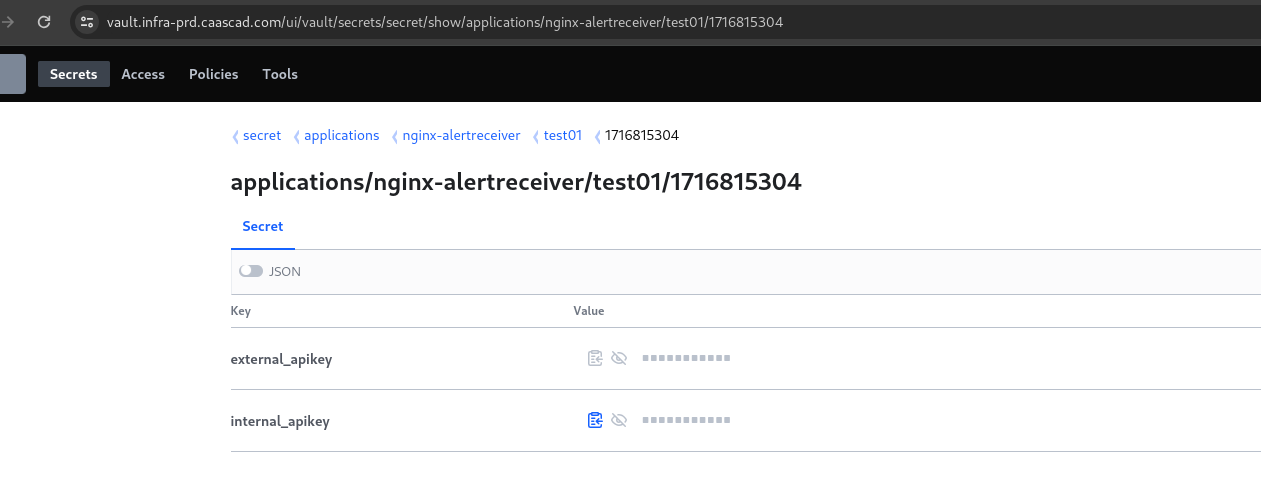
You retrieve the internal API key.
Dictionary Verification#
-
Go to MIT here.
Note
To use MIT, you must enter the proxy http://proxypac.si.francetelecom.fr:8080/
Example with Chromium:
chromium --proxy-pac-url="http://proxypac.si.francetelecom.fr:8080/" "https://mit.equant.com/MIT/consultation_alert_receiver_configuration.php" -
Enter the internal API key.
You will find all the dictionary information at the bottom of the page.
Example for the client "test04"
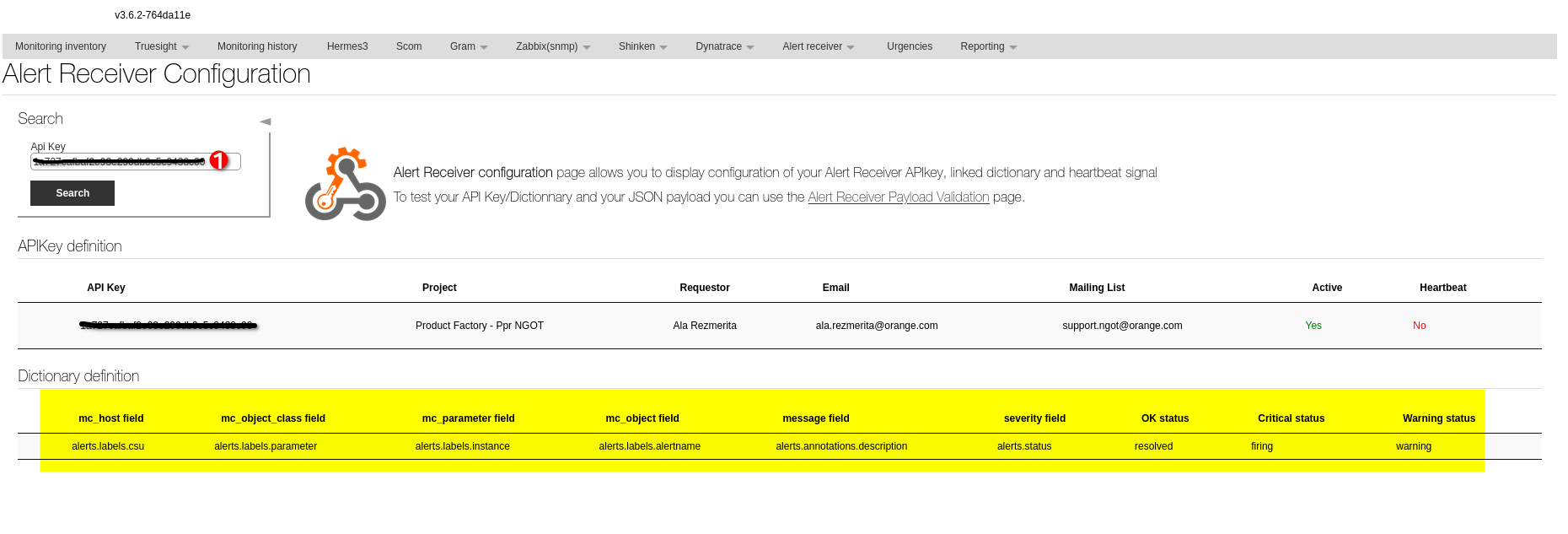
Control the last line#
If a specific dictionary is given, you must control against it.
Otherwise, control your dictionary with the default values below:
| mc_host field | mc_object_class field | mc_parameter field | mc_object field | message field | severity field | OK status | Critical status | Warning status |
|---|---|---|---|---|---|---|---|---|
| alerts.labels.csu | alerts.labels.parameter | alerts.labels.instance | alerts.labels.alertname | alerts.annotations.description | alerts.status | resolved | firing | warning |
Sending an alert test in cmd#
Using the dictionary definition, create a file paylaod.json.
for example:
{"alerts":[
    {
        "csu":"xxxx",
        "parameter":"P3_AWS_FEC2",
        "alertname":"CPUUtilization",
        "instance":"VM_test",
        "description":"CPU_utilization",
        "status":"OK"
    }
    ]
}
other example:
| mc_host field | mc_object_class field | mc_parameter field | mc_object field | message field | severity field | OK status | Critical status | Warning status |
|---|---|---|---|---|---|---|---|---|
| csu | namespace | metric_name | dimension | message_alarm | state_alarm | resolved | OK | ALARM |
{
  "alarm_name": "CPU Utilization",
  "message_alarm": "Alarm triggers when CPU Utilization on this instance exceeds 90.0",
  "csu": "XXXXX",
  "state_alarm": "OK",
  "namespace": "P3_AWSEC2",
  "metric_name": "CPUUtilization",
  "dimension": "VM_test"
}
launch the following command to send:
curl -X POST -H "Content-Type: application/json" --data @paylaod.json https://alertreceiver.prdcasa.caascad.com/alertreceiver/mth\?apikey\=XXXXXXX
Screenshot considerations#
Warning
The API Key is visible at 2 places. Do not share it !
Remove the API Key from the screenshot:
- either inspect the page first with the Web development tools, find the API Key in the source code and replace with
<Redacted>or*************, then take a safe screenshot, - or take a screenshot, then edit it with a picture editor like Gimp, Draw... and remove the 2 occurrences of the API Key.