Quay - Application tokens #
For security reasons, local accounts on the Docker registries are disabled. So if you want to pull or push docker images via the Docker's CLI, you need to create an application token.
Do to so, you need to go on the registry (docker-registry.ZONE_NAME.caascad.com) and sign in with Keycloak.
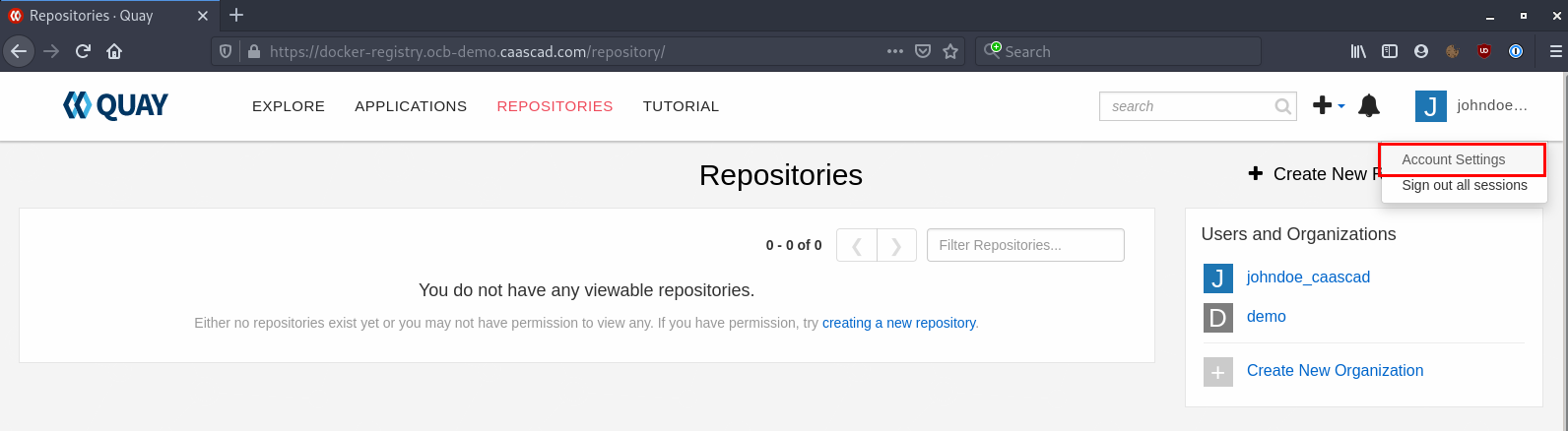
Once logged in, click on your username -> Account Settings at the top right corner:
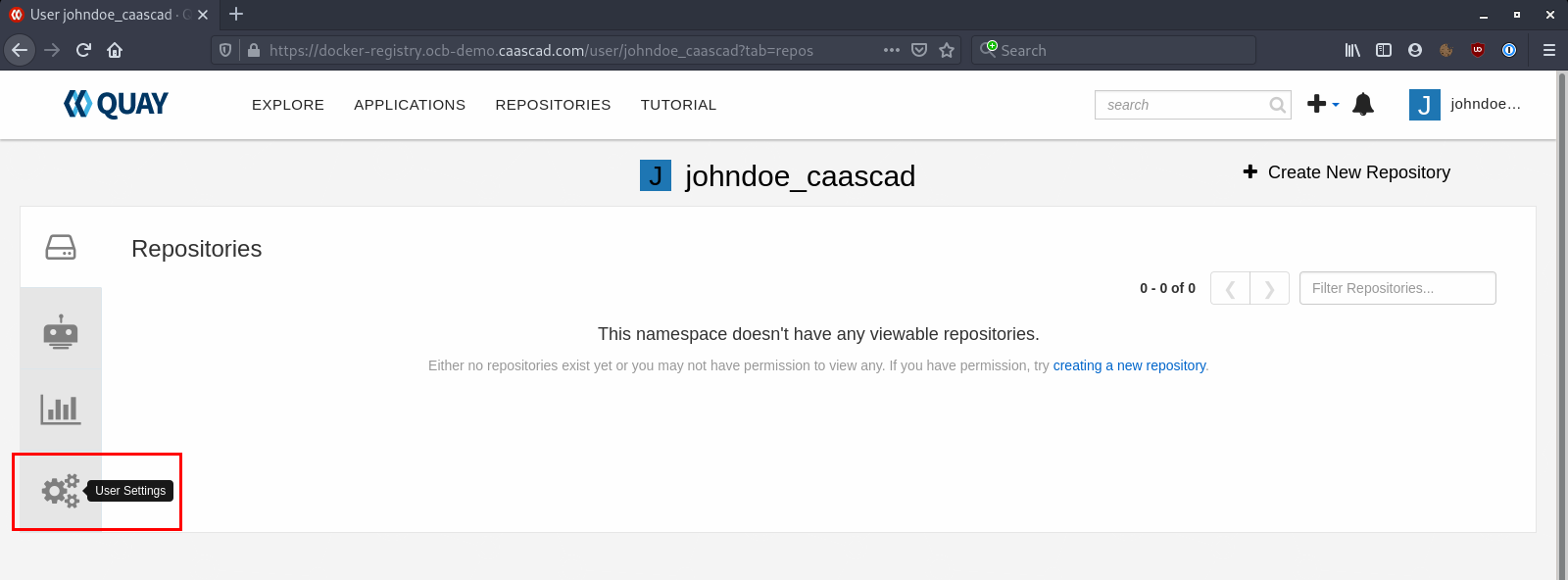
Go to User Settings:
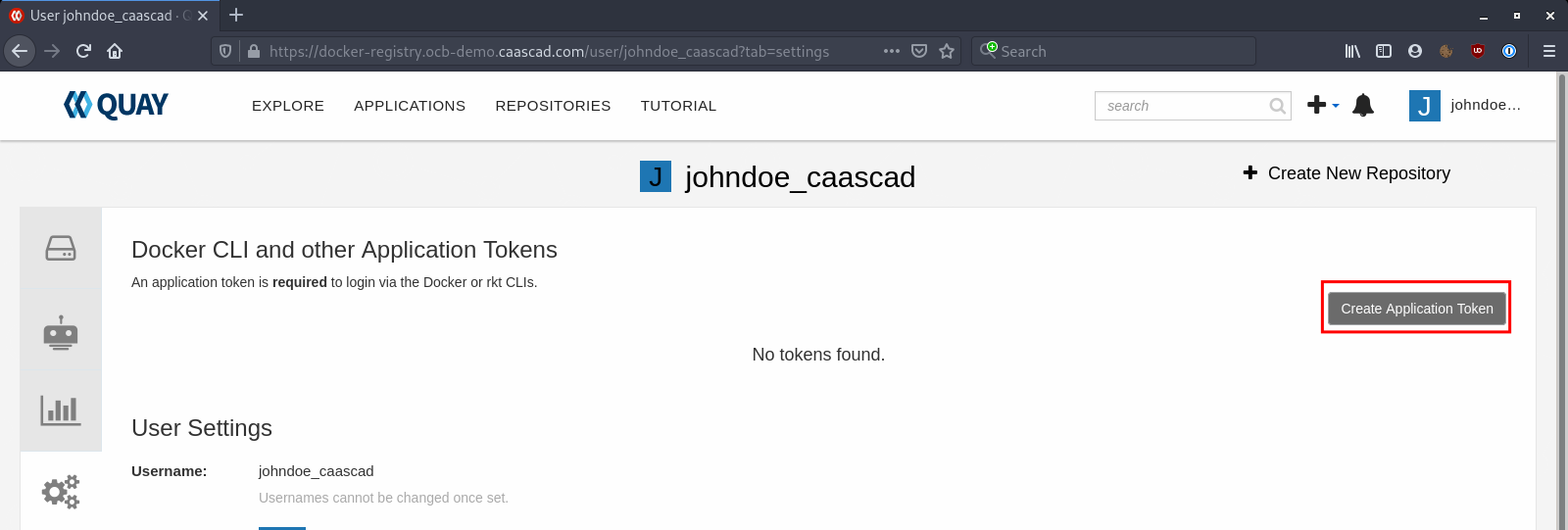
Click on Create Application Token:
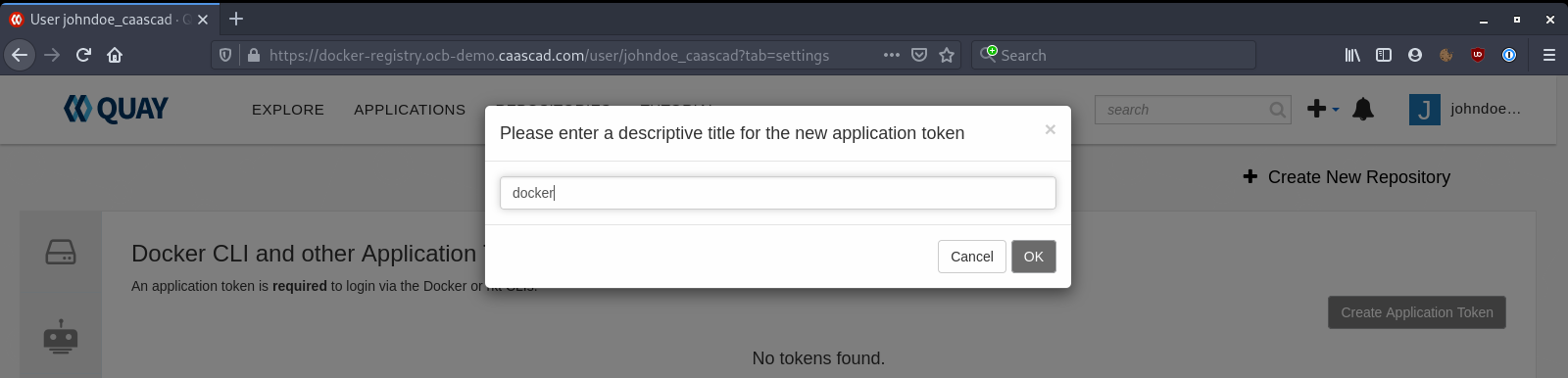
Give a name to your Token, it can be whatever you want:
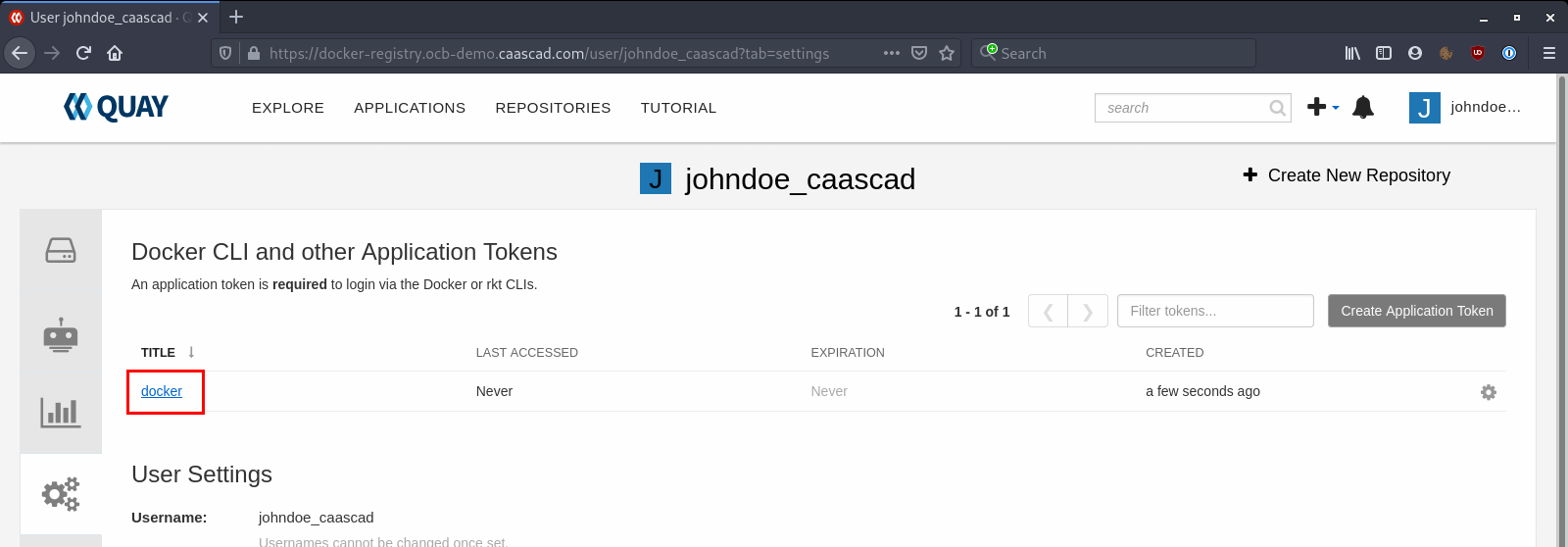
Click on the token you've created:
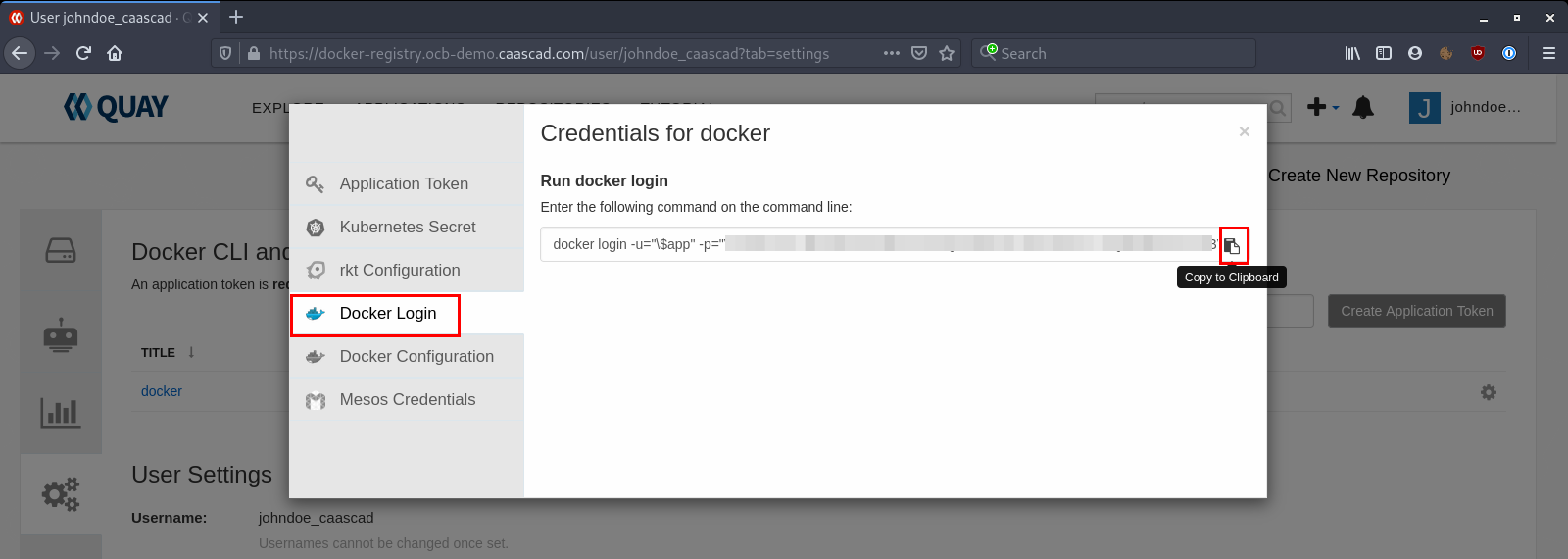
Select Docker Login and copy the given command:
And finally, open a terminal and paste the command given by the token:
## We first need to login using the AppToken
➜ docker login -u="\$app" -p="XXXXXXXXXXXXX" docker-registry.ocb-demo.caascad.com
WARNING! Using --password via the CLI is insecure. Use --password-stdin.
WARNING! Your password will be stored unencrypted in /home/yohann/.docker/config.json.
Configure a credential helper to remove this warning. See [documentation](https://docs.docker.com/engine/reference/commandline/login/#credentials-store){target=_blank}

Login Succeeded
Now you are be able to use Docker commands to push / pull images on the registry.
Push new Docker image#
To use the registry via Docker cli, you first need to login via the ApplicationToken as showed before.
To push into your registry you need to tag the image following this schema URL/ORGANIZATION/IMAGE_NAME:IMAGE_TAG.
Here is an example:
## We first need to login using the AppToken
➜ docker login -u="\$app" -p="XXXXXXXXXXXXX" docker-registry.ocb-demo.caascad.com
WARNING! Using --password via the CLI is insecure. Use --password-stdin.
WARNING! Your password will be stored unencrypted in /home/yohann/.docker/config.json.
Configure a credential helper to remove this warning. See [documentation](https://docs.docker.com/engine/reference/commandline/login/#credentials-store){target=_blank}

Login Succeeded

## Get an image from Docker hub or create it via a Dockerfile
➜ docker pull ubuntu:20.04
20.04: Pulling from library/ubuntu
Digest: sha256:c95a8e48bf88e9849f3e0f723d9f49fa12c5a00cfc6e60d2bc99d87555295e4c
Status: Downloaded newer image for ubuntu:20.04
docker.io/library/ubuntu:20.04

## Tag the image with the schema URL/ORGANIZATION/NAME:TAG
➜ docker tag ubuntu:20.04 docker-registry.ocb-demo.caascad.com/demo/ubuntu:20.04

## Push the image into Quay
➜ docker push docker-registry.ocb-demo.caascad.com/demo/ubuntu:20.04
The push refers to repository [docker-registry.ocb-demo.caascad.com/demo/ubuntu]
f6253634dc78: Pushed
9069f84dbbe9: Pushed
bacd3af13903: Pushed
20.04: digest: sha256:4e4bc990609ed865e07afc8427c30ffdddca5153fd4e82c20d8f0783a291e241 size: 943