Pipeline Dashboard#
This page shows the list of concourse ci pipelines used by Dashboard
Dashboard concourse ci pipelines configuration files are stored in the git repository: git-resource
This is the list of the dashboard-pipelines git repository's branches that are used:
- ci_consomation: consumption's and billing's pipelines configuration files
- master: dashboard's pipelines configuration files to deploy on https://ci-infra.infra-prd.caascad.com
CICD#
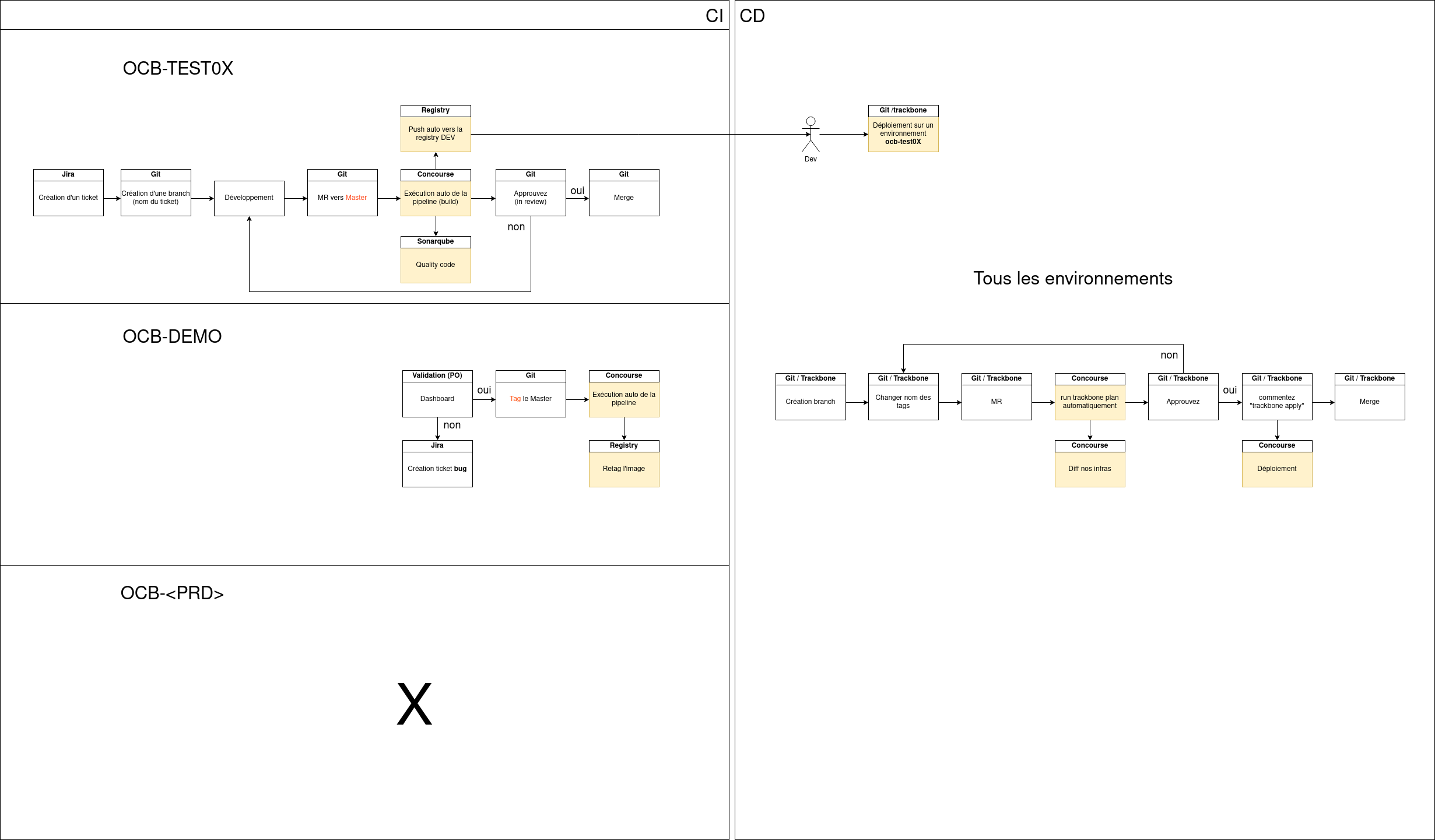
Dashboard pipelines on ci-infra.infra-prd.caascad.com#
Clone the repository https://git.corp.caascad.com/caascad/dashboard/dashboard-pipelines
git clone git@git.corp.caascad.com:caascad/dashboard/dashboard-pipelines.git
Here is a list of dashboard's pipelines on infra-prd:
Front#
Pipeline: https://ci-infra.infra-prd.caascad.com/teams/build/pipelines/ng-front
execute this list of commands to create this pipeline:
export zone=infra-prd && export component=front
fly login -c https://ci-infra.${zone}.caascad.com -t ${zone} -n build
fly -t ${zone} set-pipeline -p ng-${component} -c pipeline.yaml -v component=${component}
Metrics-api#
Pipeline: https://ci-infra.infra-prd.caascad.com/teams/build/pipelines/ng-metrics-api
execute this list of commands to create this pipeline:
export zone=infra-prd && export component=metrics-api
fly login -c https://ci-infra.${zone}.caascad.com -t ${zone} -n build
fly -t ${zone} set-pipeline -p ng-${component} -c pipeline-java.yaml -v component=${component}
Alerts-api#
Pipeline: https://ci-infra.infra-prd.caascad.com/teams/build/pipelines/ng-alerts-api
execute this list of commands to create this pipeline:
export zone=infra-prd && export component=alerts-api
fly login -c https://ci-infra.${zone}.caascad.com -t ${zone} -n build
fly -t ${zone} set-pipeline -p ng-${component} -c pipeline-java.yaml -v component=${component}
Api-proxy#
Pipeline: https://ci-infra.infra-prd.caascad.com/teams/build/pipelines/ng-api-proxy
execute this list of commands to create this pipeline:
export zone=infra-prd && export component=api-proxy
fly login -c https://ci-infra.${zone}.caascad.com -t ${zone} -n build
fly -t ${zone} set-pipeline -p ng-${component} -c pipeline-java.yaml -v component=${component}
Ci-api#
Pipeline: https://ci-infra.infra-prd.caascad.com/teams/build/pipelines/ng-ci-api
execute this list of commands to create this pipeline:
export zone=infra-prd && export component=ci-api
fly login -c https://ci-infra.${zone}.caascad.com -t ${zone} -n build
fly -t ${zone} set-pipeline -p ng-${component} -c pipeline.yaml -v component=${component}
Child Zone Name#
Pipeline: https://ci-infra.infra-prd.caascad.com/teams/deploy/pipelines/child_zone_names
execute this list of commands to create this pipeline:
- git clone -b infra-prd git@git.corp.caascad.com:caascad/dashboard/dashboard-pipelines.git
- cd dashboard-pipelines/pipeline
- fly -t infra-prd.infra set-pipeline -p child_zone_names -c template-clusters.yml
- charger dans un navigateur l'URL retourné par la commande , si proposé
- answer Y
Dashboard Parent#
Pipeline: https://ci-infra.infra-prd.caascad.com/teams/build/pipelines/ng-dashboard-parent
execute this list of commands to create this pipeline:
export zone=infra-prd && export component=dashboard-parent
fly login -c https://ci-infra.${zone}.caascad.com -t ${zone} -n build
fly -t ${zone} set-pipeline -p ng-${component} -c dashboard-pom-parent.yaml
Dashboard pipelines on https://ci-infra.infra-stg.caascad.com#
The command to connect to concourse ci deployed on infra-stg, as a member of the team deploy is:
fly switch -z infra-stg -n deploy
execute this list of commands to create this pipeline:
- git clone -b infra-prd git@git.corp.caascad.com:caascad/dashboard/dashboard-pipelines.git
- cd dashboard-pipelines/pipeline
- fly -t infra-stg.infra set-pipeline -p child_zone_names -c template-clusters.yml
- charger dans un navigateur l'URL retourné par la commande , si proposé
- answer Y
Create test pipelines on ocb-testxx#
To be able to test concourse display in Dashboard page, it is necessary to create pipelines on ocb-testXX zone, below some command lines to create pipeline on ci.ocb-testXX.caascad.com:
-
Connect to ci.ocb-testXX.caascad.com using fly , in the choosen TEAM :
fly switch -z ocb-testXX -n {TEAM_NAME} -c -
Create a pipeline from an yaml file:
fly -t ocb-testXX.client set-pipeline -p test -c FILE.yaml - This is an example of a concourse pipeline configuraiton file which build is successful . Save the file on your local machine under the name: testok.yaml for exemple
jobs:
- name: hello-world
  plan:
  - task: say-hello
    config:
      platform: linux
      image_resource:
        type: registry-image
        source: {repository: alpine}
      run:
        path: echo
        args: ["Hello, world!"]
fly -t ocb-testXX.client set-pipeline -p testok -c testok.yaml
- This is an example of a concourse pipeline configuraiton file which build fails. Save the file on your local machine under testko.yaml for example.
jobs:
- name: create-and-consume
  public: true
  plan:
  - task: make-a-file
    config:
      platform: linux
      image_resource:
        type: registry-image
        source: { repository: busybox }
      run:
        path: sh
        args:
          - -exc
          - ls -la; echo "Created a file on $(date)" > ./files/created_file
      outputs:
        - name: files
  - task: consume-the-file
    config:
      platform: linux
      image_resource:
        type: registry-image
        source: { repository: busybox }
      inputs:
        - name: files
      run:
        path: cat
        args:
          - ./files/created_file
To create this pipeline:
fly -t ocb-testXX.client set-pipeline -p testko -c testko.yaml